Alarms and reporting
An alarm is only useful if someone answers it
Every incident runs the same course: opened, acknowledged, root cause, corrective action, preventative action, closed. Notifications run alongside it and keep escalating until a person owns it. At the end of the week, the record becomes your report.
Incident lifecycle
Notifications and escalation
Getting it to a person, in order
Notifications run alongside the incident, not as part of it. You set who hears first, how long Sematics waits, and who comes next, with different rules for working hours, nights and weekends.
- 01
Who hears first
People and contacts in order, by site, zone, asset or group of assets.
- 02
How long to wait
An alarm delay on each probe, set from your door-recovery data, so a delivery doesn't raise an alarm; then a wait before each escalation step, so a real fault keeps moving up.
- 03
Nights and weekends
Time profiles with shifts: one set of people in working hours, another out of hours.
- 04
Every channel
Email, SMS, voice call, app push and webhooks to your own systems.
- 05
Acknowledge from the message
A link in the text or email opens the incident, so nobody needs to find a laptop at 2am.
- 06
Proof of who was told
Every message sent is logged against the incident, with the time and the recipient.
Audit trail and CAPA
Every incident, through to corrective and preventative action
Auditors want to see what went wrong, what you did about it and what stops it happening again. Sematics asks for all three on every incident: acknowledgement, root cause, corrective action and preventative action (CAPA). The weekly check shows at a glance which incidents are finished, and the notification log proves who was told and when.
Annex 119 Audit trails6 Accuracy checks
| Time | Lane | By | Event |
|---|---|---|---|
| 02:03:14 | Incident | Sematics | Opened · Cold room 8.4 °C (limit 8.0 °C) |
| 02:03:14 | Notification | Sematics | Alert sent · email and push · Stores team (3) |
| 02:08:14 | Notification | Sematics | Escalated to on-call · SMS and voice call · Duty manager |
| 02:14:51 | Incident | Duty manager | Acknowledged by link · “On it.” |
| 02:22:07 | Incident | Duty manager | Root cause · Door left ajar after a delivery |
| 02:25:40 | Incident | Duty manager | Corrective action · Door closed, stock checked, back in range 02:31 |
| 09:05:12 | Incident | Stores lead | Preventative action · Door alarm added to the unit |
| 09:10:30 | Incident | Stores lead | Closed · CAPA complete |
Illustrative incident. Roles, times and readings are examples.
Weekly compliance check
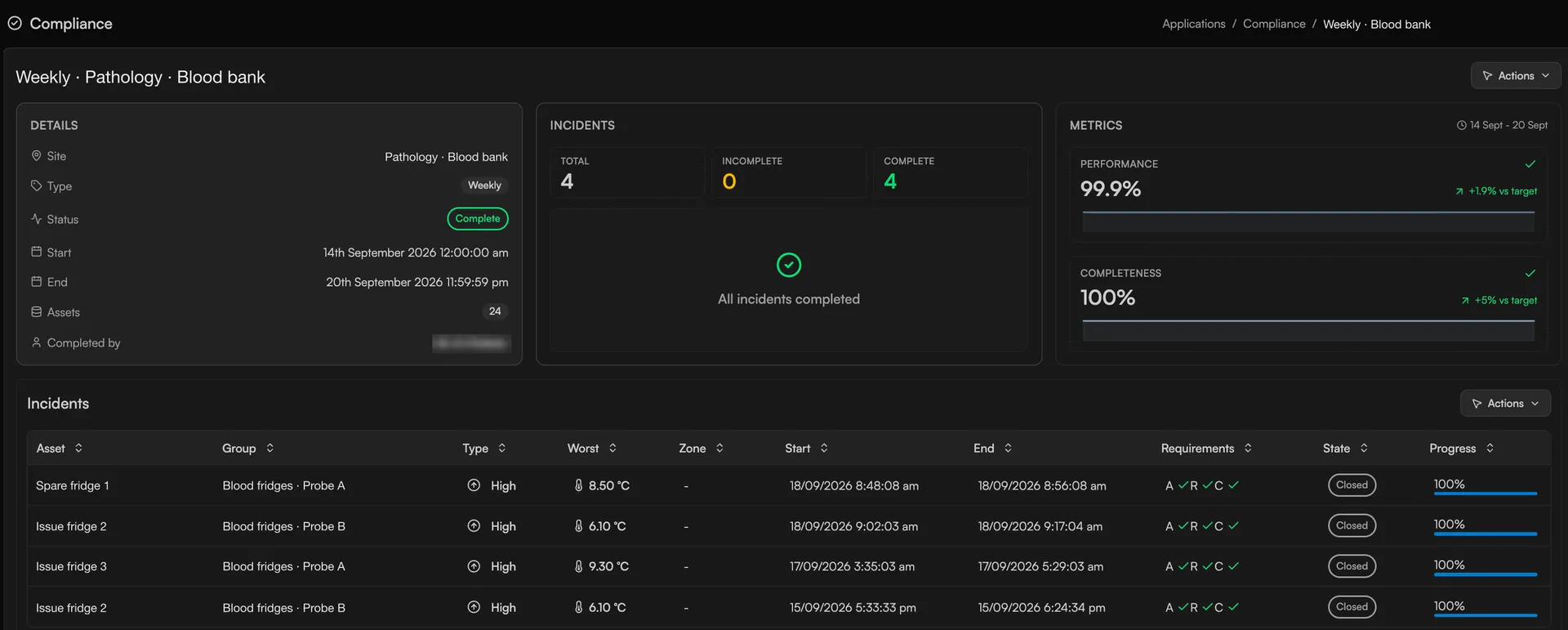
The week, signed off in one screen
Performance and completeness against your targets, every incident and whether its acknowledgement, root cause and CAPA are complete, and who completed the check. Daily, weekly or intraday checks on the schedule you choose.
Scheduled reports
Reports arrive before anyone asks
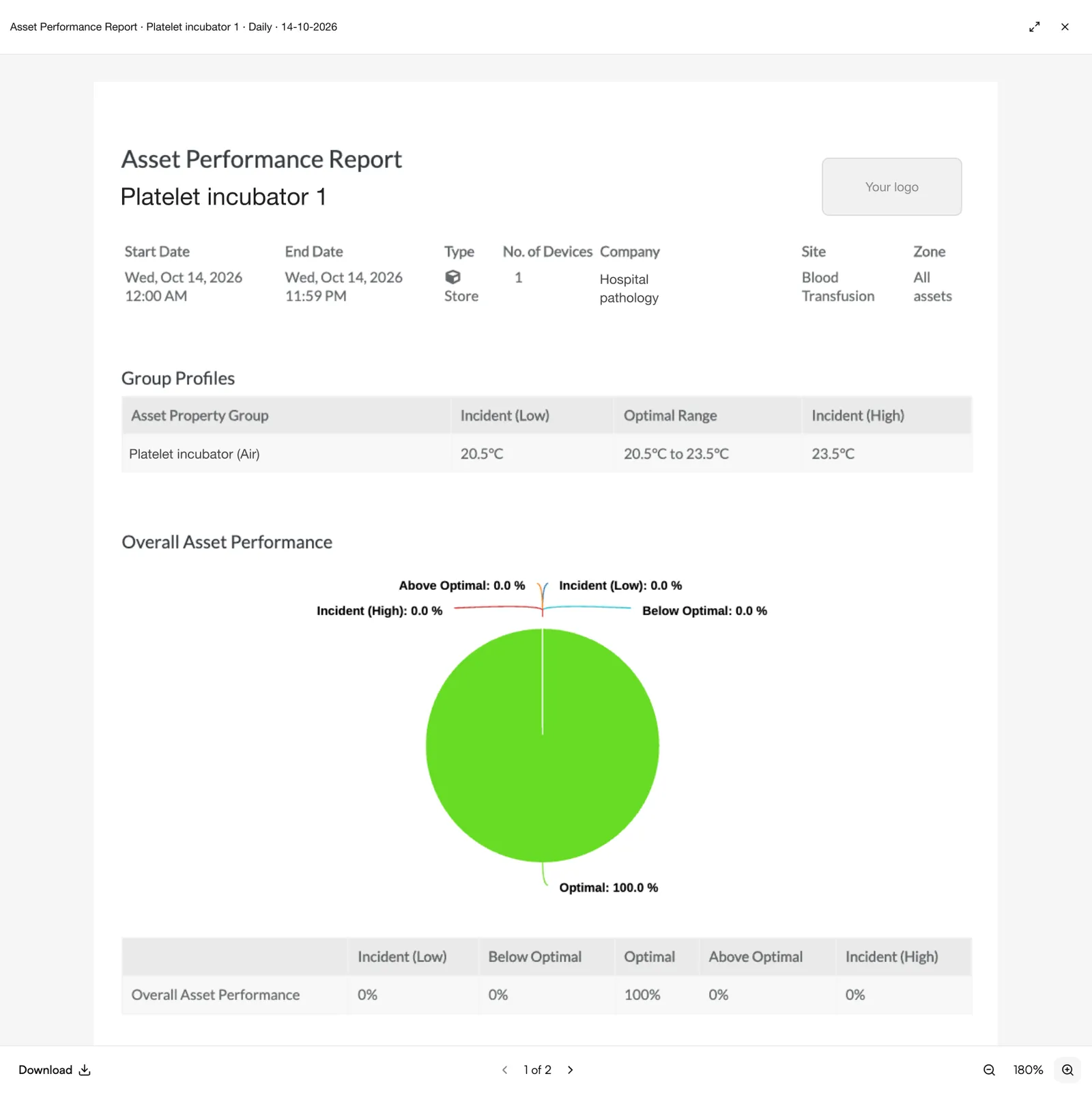
Choose the report, the assets and the people, and how often. Sematics sends the PDF, with your logo, for one asset, a zone, a site or the whole organisation.
Annex 118 Printouts
Asset performance
Time in the optimal range, below and above, and in incident, against the unit's group profile.
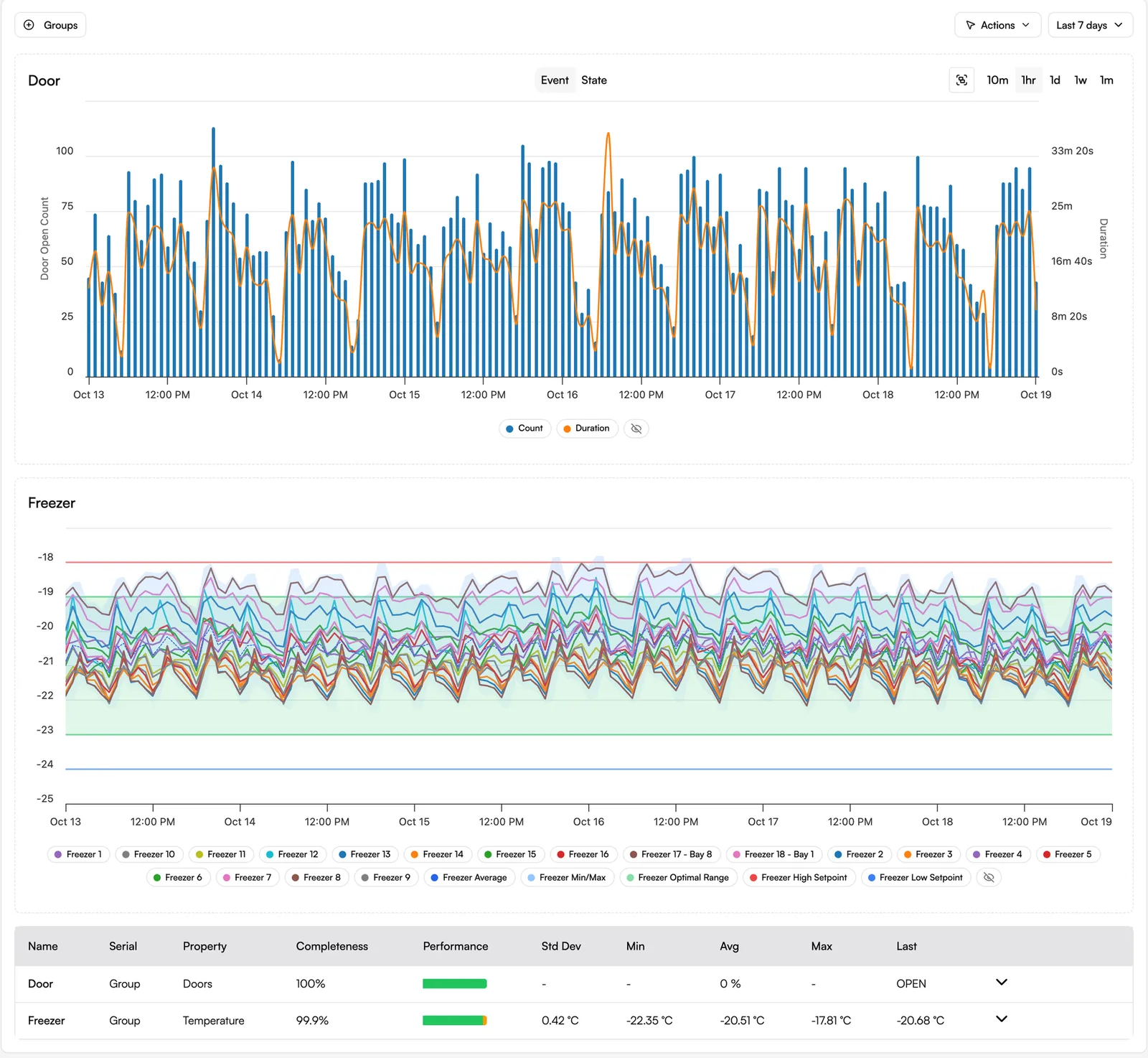
Probe charts
Every probe on one chart with its limits, plus standard deviation, minimum, average and maximum.
Compliance check
The weekly or daily sign-off, with every incident and its CAPA status.
CSV for your own analysis
Site performance and asset summaries as CSV, when a spreadsheet is what's needed.
Sematics by JTF
Would your alarms reach someone at 2am?
Book a 20-minute check. An engineer walks through your alarm routes and records with you, and you get a short list of what to fix first.