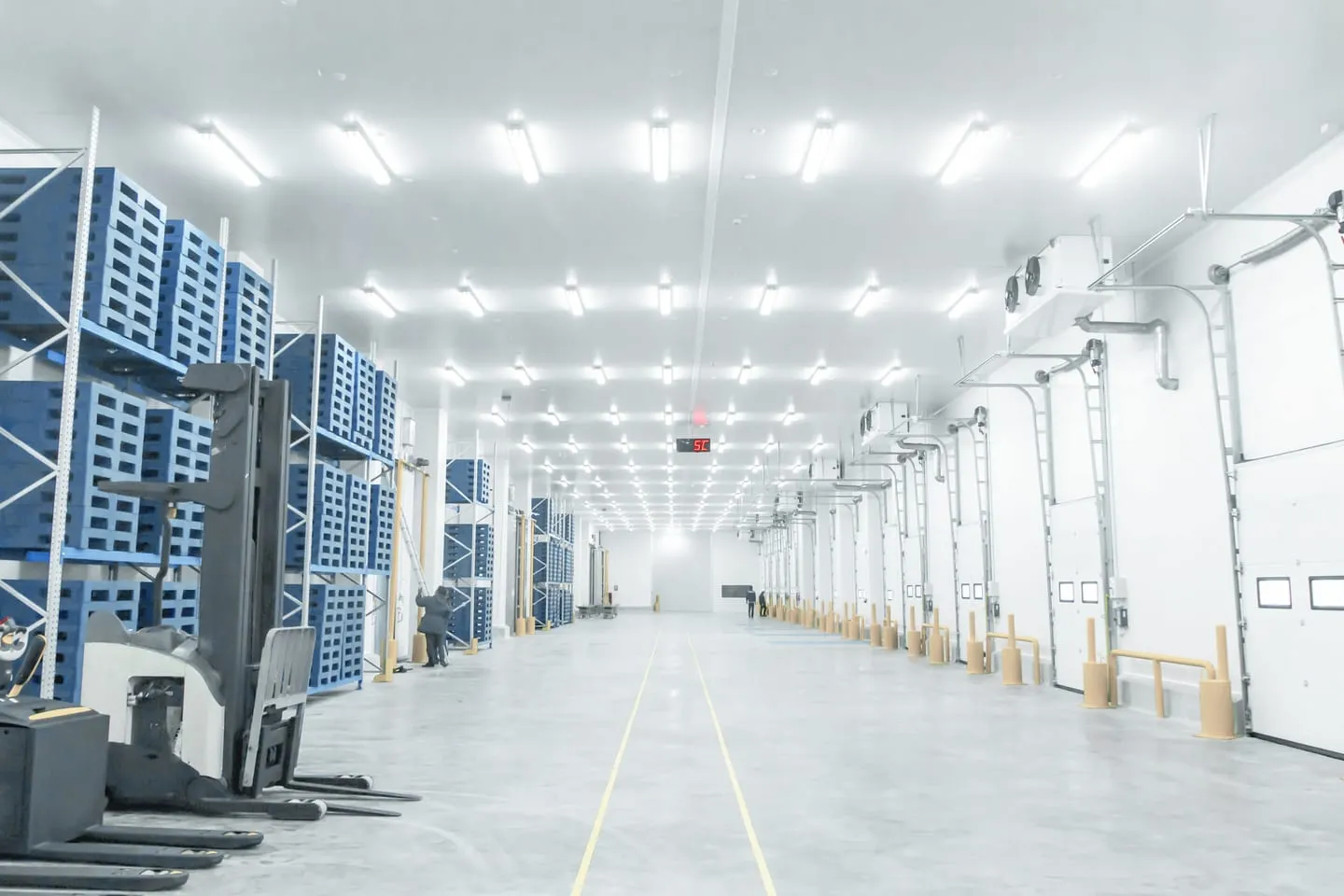
Food and cold storage
16%
less temperature variation in a 12,000 m³ freezer after door monitoring (standard deviation 0.69 to 0.58 °C)
Regulation: Food safety and customer audit standards
Read the case study storyUKAS accredited calibration laboratory No. 10723
For industrial doors, cold rooms, fridges and freezers
Every door opening and how long it stayed open, recorded in Sematics beside the temperatures of the room or unit behind it. On industrial doors we can read the door controller itself, so you see faults and slow closes as well as open and closed.
The short answer
Door monitoring records when each door opens, when it closes and how long it stayed open, and raises an alarm when a door is left open. We do it in two ways, depending on the door.
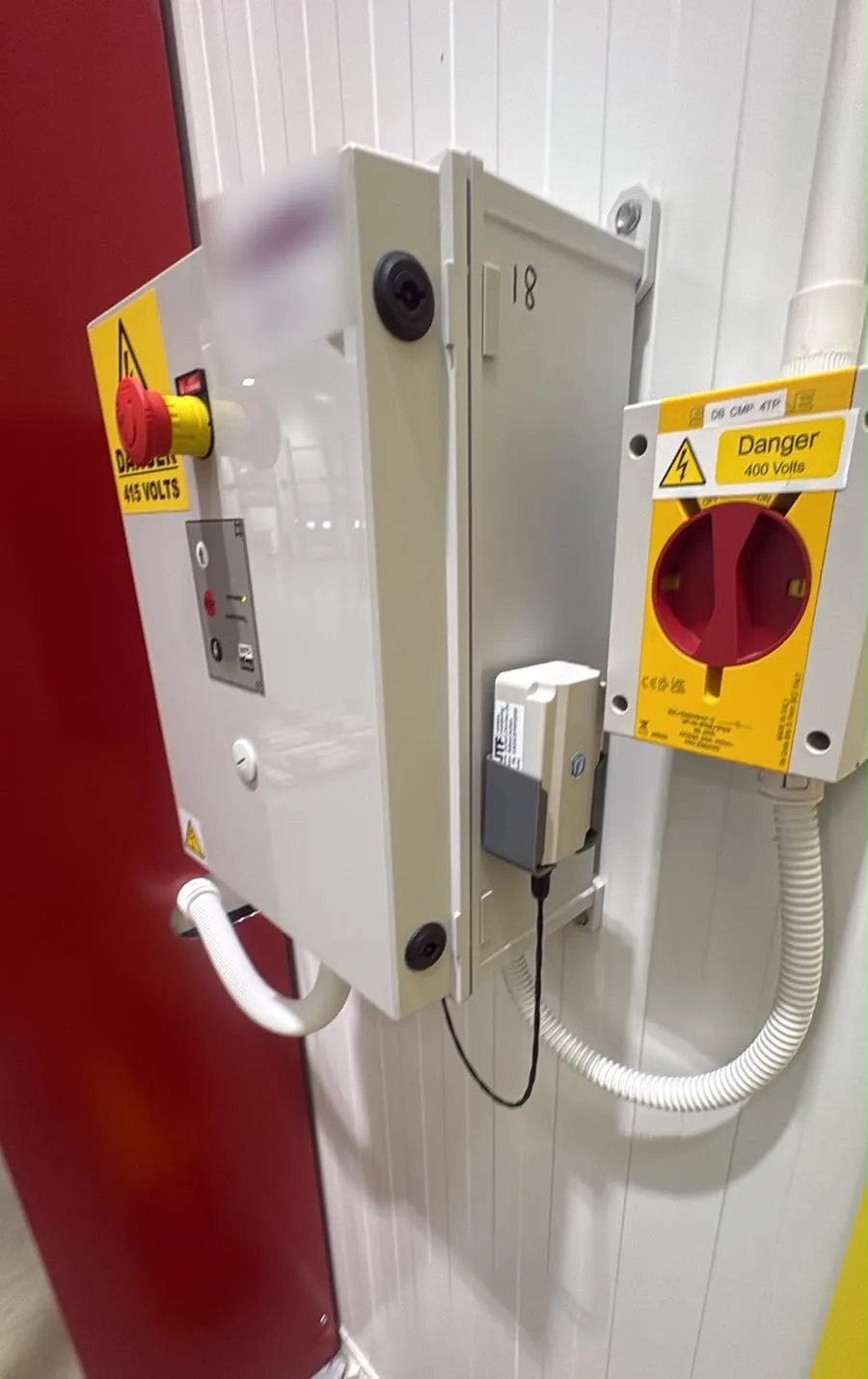
On industrial and warehouse doors with a control panel, a Milesight UC300 controller takes signals from the panel, so Sematics knows when the door is closed, moving, closing or in fault. Where that isn't needed, or on a door without a panel, an industrial or magnetic door switch on a Node+ sensor reports open and closed. On fridges, freezers and smaller doors, a small magnetic switch plugs into the Node+ sensor already watching the temperature.
One freezer
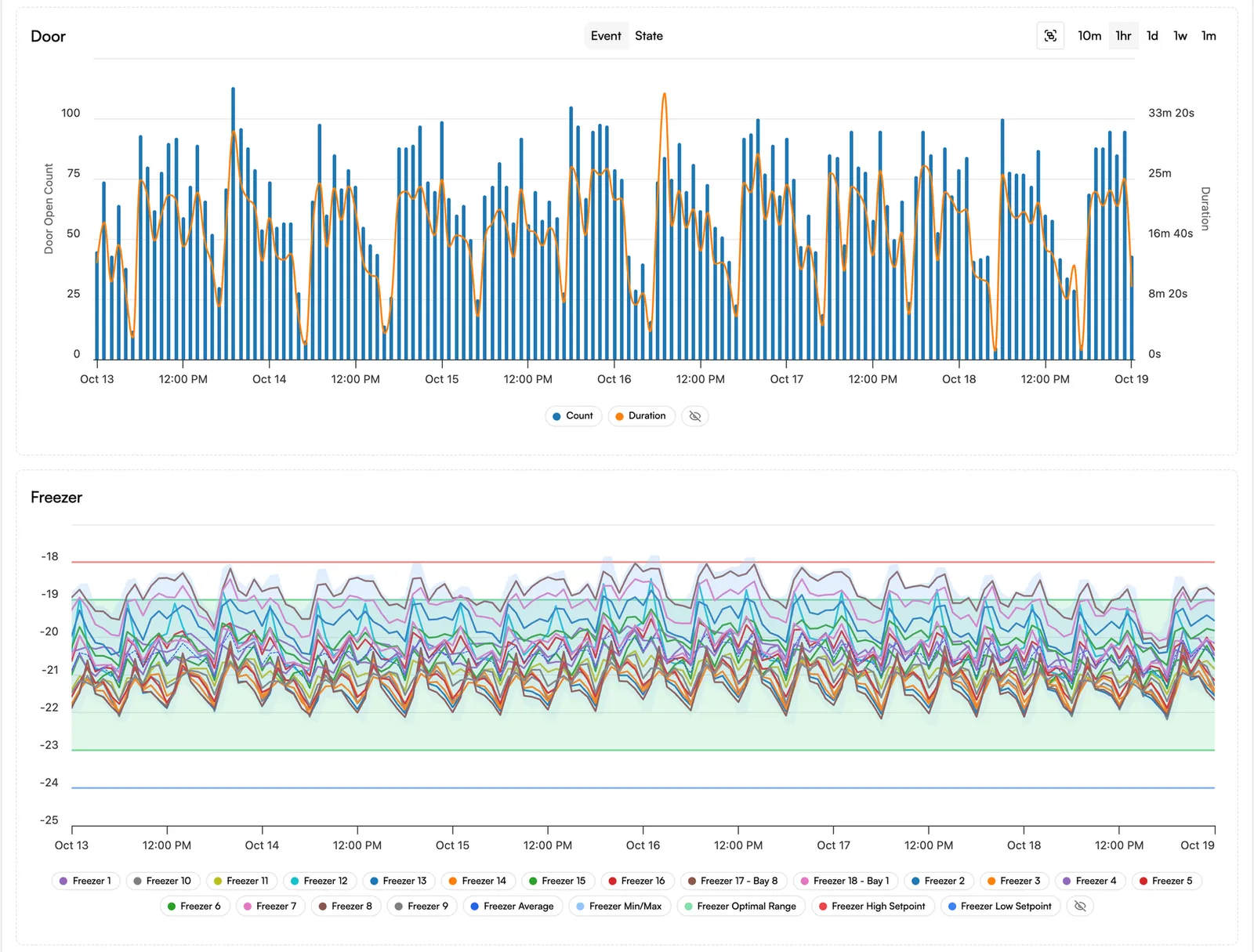
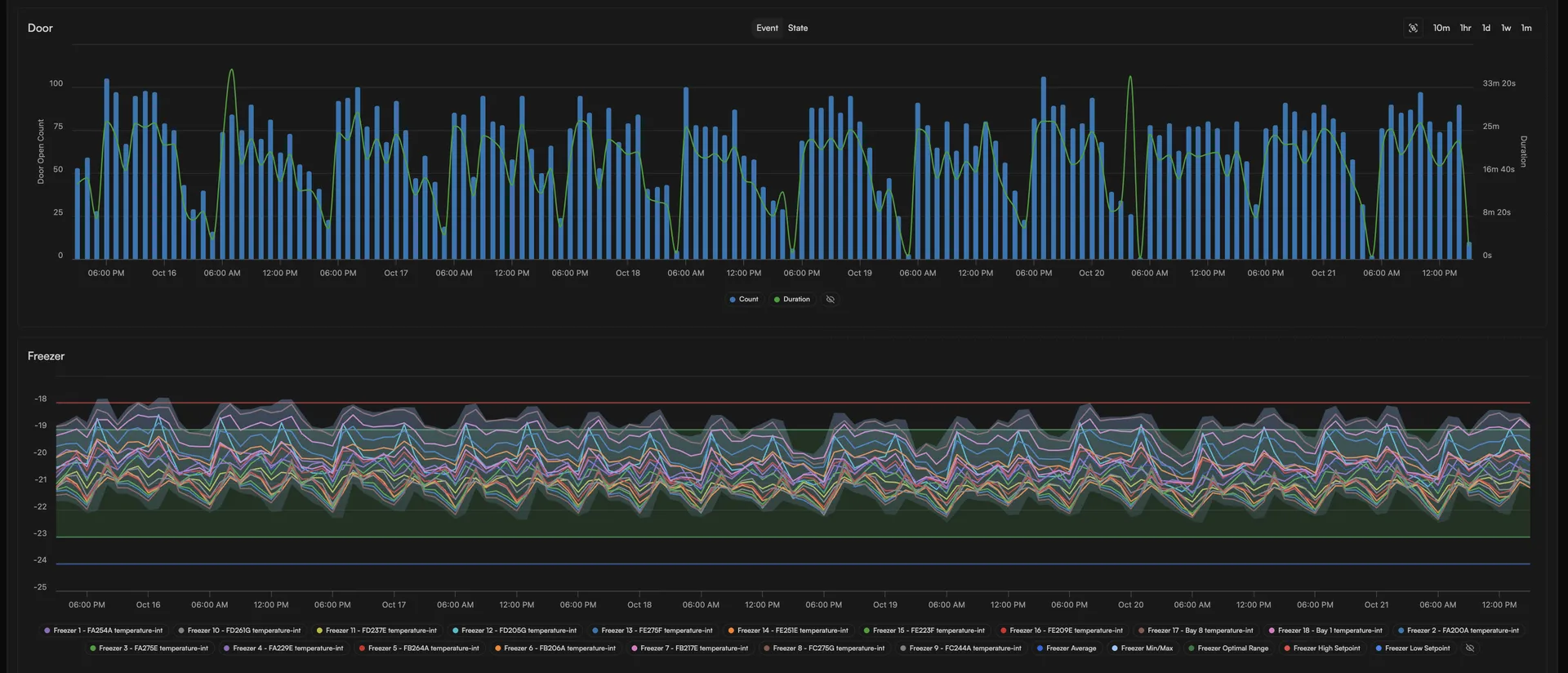
Measured on one busy freezer at a food distribution depot, three months before door monitoring against three months after. One site, not a controlled trial. From our freezer door monitoring case study.
1,200 to 1,600
door openings a day on one freezer, about 11.5 seconds each
16%
less temperature variation in a 12,000 m³ freezer after door monitoring (standard deviation 0.69 to 0.58 °C)
96.5% to 100%
data completeness, three months before and after door monitoring
What's included
Industrial doors and the doors on fridges and freezers need different hardware. Both report to the same Sematics account as your temperatures.
Many industrial door controllers have spare programmable relay outputs. Wired to the digital inputs of a Milesight UC300, they tell Sematics when the door is closed, moving, closing or in fault, depending on the outputs the panel offers. Where a controller has RS485 with Modbus RTU and the door maker provides the register map, the UC300 can read richer data, such as position, cycle count or fault status.
From the door's own signals, Sematics can show how long the door stood open, how many cycles it made, how long it took to close, and closes that failed or ran long. That is useful to your maintenance team and door contractor, not only to whoever answers the alarm. We check the radio signal at survey, because closing times are only as good as the messages that carry them.
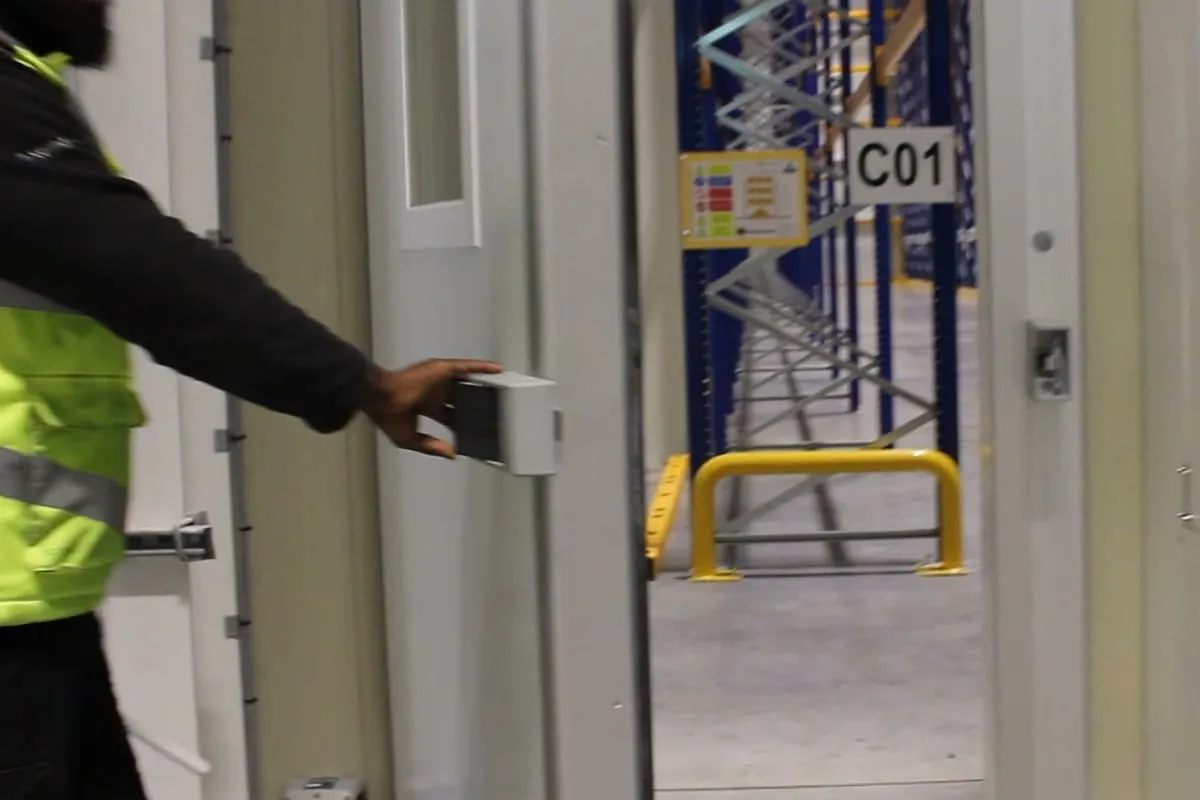
Where you only need open and closed, or the panel has no suitable signal, the industrial door switch or a magnetic door switch on a Node+ sensor reports each opening and its duration, with nothing needed from the panel. The 2-wire lead takes a volt-free signal from a door panel or relay.
A small magnetic door switch plugs into a Node+ sensor with a door input: the Node+ PT100, Node+ Digital or Node+ Analog, so one sensor records the temperature and the door. The Node+ IO watches a door on its own.
Door openings are normal. An alarm on every one trains people to ignore alarms (alarm fatigue), so a door alarm should go off only when a door stays open past a delay set from your own data; our monitoring and alarms guidance explains how to justify it. Sematics sends each alarm to the people you name, such as the shift team who can close the door (alarms and reporting). Door alarms sit alongside your temperature alarms, never in their place.
When a room or a freezer warms, the door record beside it shows whether a door was open at the time, often the first question in an excursion review. Doors left open also make refrigeration plant work harder, which energy monitoring can measure on the same account.
How it works
We look at each door with you: what it is, what it protects, whether it has a control panel and what that panel can tell us. You get a quote for the site.
For industrial doors with a panel, we agree with you and your door contractor which signals to take and, if you want any control, exactly what Sematics may do and the safeguards around it.
Connections inside the door control panel are made by your door contractor, including a permanent low-voltage supply for the UC300 and, in a metal panel, an antenna mounted outside it. We supply and configure the UC300 and Sematics, and fit the door switches, Node+ sensors and gateways outside the panel.
We set each door's alarm delay with you, check events arrive beside the temperatures, and look at the first weeks of door data together, so delays and habits can be adjusted from real openings.
What it covers
Where a panel has the signals, they tell you more than a door switch can, such as faults and slow closes. A switch on the door itself confirms it is physically shut and needs nothing from the panel. Many doors are best with both.
| Door | How we detect it | What you see in Sematics |
|---|---|---|
| Industrial and warehouse doors | ||
| High-speed, roller and dock doors with a control panel | The panel's spare relay outputs into a Milesight UC300; RS485 Modbus RTU where the controller supports it | Closed, moving, closing and fault; time open, cycles, closing times, failed or long closes |
| Doors where the panel may show closed before the door reaches the floor | Panel signals, plus an independent magnetic door switch on a Node+ as a separate check that the door has reached closed | Panel state and physical closed position, side by side |
| Cold room, freezer room and personnel doors | Industrial door switch or magnetic door switch on a Node+ | Each opening and its duration, beside the room temperature |
| Doors with an existing door panel or relay | 2-wire dry contact lead from a volt-free output into a Node+ | Each opening and its duration |
| Fridges and freezers | ||
| Fridges, freezers and smaller doors | Small magnetic door switch on a Node+ with a door input | Each opening and its duration, beside the unit's temperature |
Connections inside a door control panel are made by your door contractor, and inside other panels by a qualified electrician. We fit the door switches and sensors that sit outside the panel.
Two-way, when you want it
The UC300 has two relay outputs, so it can send an agreed signal back into a door panel or switch other equipment.
A relay can be switched in two ways: by the UC300 itself, from a rule on one of its own inputs, or by Sematics, which sends a command down over LoRaWAN from logic in the platform. On a door, that could drive a beacon or sounder, an indicator or another agreed signal into an input the door maker provides for it.
We never switch anything by default. For each installation we agree with you, and with your door contractor where it is their panel, exactly what Sematics is permitted to control, and build the safeguards around it, before anything is set up. The UC300 is not a safety device: the door's own safety edges, photocells, force limits and interlocks stay in charge.
An illustration: a door left open past its agreed time can switch on a beacon at the door, so the people nearby close it.
The same controller can switch equipment from a reading, too: one customer used a UC300 to switch heating on when humidity rose above 60%, as a stop-gap until their building management system was installed.
Food and cold storage
16%
less temperature variation in a 12,000 m³ freezer after door monitoring (standard deviation 0.69 to 0.58 °C)
Regulation: Food safety and customer audit standards
Read the case study storyQuestions
No. Connections inside the door control panel are made by your door contractor. We supply and configure the UC300 and Sematics, and agree the signals with them. We fit the kit that sits outside the panel ourselves: industrial and magnetic door switches, Node+ sensors and gateways.
Not as a safety function. Sematics is a monitoring system, not a door control system. A UC300 relay can send an agreed signal into an input the door maker provides, such as a beacon or a request input, and the door's own controller and safety devices stay in charge. Nothing is set up until you, your door contractor and the door maker have agreed it.
We prefer the panel's own closed signal. Where a door could report closed without physically reaching the floor, such as a high-speed curtain that doesn't travel fully down, we add an independent magnetic door switch on a Node+ as a separate check that the door has reached closed.
Long enough that normal access, deliveries and loading don't set it off, and no longer than your data justify. Each door gets its own delay, so a loading door can have a longer one than a personnel door. We set each delay with you from how the room or unit recovers after normal openings; our monitoring and alarms guidance explains how. Every opening is still recorded, whether or not it alarms.
A Node+ sends a change of door state when it happens, rather than waiting for its next temperature reading, and the alarm follows once the delay you set has passed. The UC300 also reports when an input changes.
The Node+ PT100, Node+ Digital and Node+ Analog record temperature and a door on one sensor. The Node+ IO watches a door on its own. The Node+ Embedded has no door input.
A door sensor saves nothing on its own; the saving comes from doors being closed sooner and left open less. On one freezer, our case study measured steadier, colder temperatures after door monitoring went in; its energy figures are estimates, not metered, with the working in the full report (PDF). To measure your own, add energy monitoring.
It depends on the number and type of doors, whether they have control panels and what the installation involves. We quote per site after a survey.
Next step
Tell us your sites, units and the services you want, and we'll send a written quote. If you'd rather talk it through first, call us.
or call 0121 794 8092